
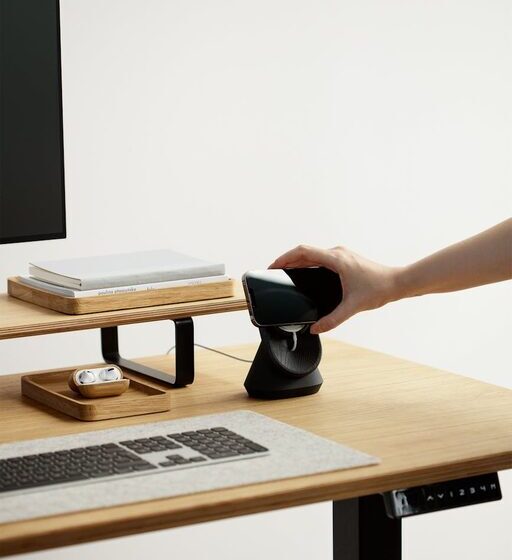

Creating a home workspace that feels both cozy and productive can make a big difference in how you work and how you feel throughout the day. Whether you work remotely full-time, study from home, or need a dedicated place for projects, designing an environment that balances comfort and focus is key. Here are practical tips to help you create a home workspace you look forward to using each day.
Choose the Right Location
Selecting the right spot for your workspace is the first step. Ideally, this should be a quiet and well-lit area away from distractions. If possible, pick a room or a corner with natural light—it helps improve mood and alertness. Near a window is a great choice, but if that’s not an option, make sure your lighting includes a good mix of ambient and task lighting.
Invest in Comfortable Furniture
Your chair and desk setup plays a huge role in your comfort and productivity. Look for an ergonomic chair that supports good posture and reduces strain on your back. Your desk should be at a height that allows your arms to rest comfortably while typing or writing. Adjustable desks, including standing desk options, can be great for varying your position throughout the day.
Organize to Minimize Clutter
A clutter-free workspace helps your mind stay clear and focused. Use organizers, shelves, and drawers to keep supplies and documents in order. Consider a few simple containers for pens, paper clips, and notes. Regularly tidy your desk to prevent build-up, and keep only the essentials on your workspace to reduce distractions.
Personalize Your Space
Adding personal touches makes your workspace inviting and motivating. This could be a favorite piece of art, plants, or photos. Greenery not only brightens the room but can also improve air quality and reduce stress. Use colors and decorations that inspire you without overwhelming the space.
Control Noise and Distractions
Noise can disrupt concentration, so find ways to control it in your workspace. Noise-canceling headphones are a popular choice for blocking out background sounds. Alternatively, playing soft instrumental music or ambient sounds can help maintain focus. Inform family members or housemates of your work hours to minimize interruptions.
Optimize Your Technology Setup
Make sure your technology setup is efficient and comfortable. Position your computer screen at eye level to avoid neck strain, and use an external keyboard and mouse if needed. Keep cables organized to prevent tangles and clutter. Good internet connectivity is crucial for smooth work, so consider upgrading if you experience frequent disruptions.
Use Good Lighting
Lighting affects both your comfort and productivity. Use a combination of natural light and adjustable artificial lighting. A desk lamp with adjustable brightness can help reduce eye strain during dimmer times of the day. Pay attention to the color temperature of your bulbs—a cooler white light can promote alertness, while warmer tones create a relaxing atmosphere.
Incorporate Break and Movement Spaces
Taking breaks and changing posture frequently helps maintain energy and focus. If space allows, include a comfortable chair or cushion nearby for short rests. Try to stand or stretch every hour and consider small exercises or yoga to keep your body active. Having a space dedicated to breaks encourages you to step away from your desk intentionally.
Establish a Routine
Creating a routine helps your mind switch into work mode. Set regular work hours and build habits that signal the start and end of your day. This might include tidying your desk before starting, making a to-do list, or having a morning cup of tea at your workspace. A routine adds structure and helps balance work with personal time.
Keep Air Fresh and Temperature Comfortable
A fresh and comfortable environment can boost productivity. Open windows for ventilation or use an air purifier if needed. Keep your workspace at a temperature that feels comfortable—not too hot or cold. Adding a small fan or heater can help regulate the temperature, depending on your climate and season.
Maintain Good Posture and Eye Health
Pay attention to your body while working. Adjust your chair and desk to support good posture, keeping your feet flat on the floor and your back straight. Follow the 20-20-20 rule for your eyes: every 20 minutes, look at something 20 feet away for at least 20 seconds. This helps reduce eye strain caused by screen time.
Final Thoughts
Creating a cozy and productive home workspace is a balancing act between comfort and focus. Personalize your space, keep it organized, and optimize your setup for health and efficiency. Small changes can lead to big improvements in how you work and feel throughout the day. With these tips, your home workspace can become a place where you enjoy working and get more done.
Remember, the best workspace is one that suits your personal preferences and needs. Take time to experiment and adjust your environment until it feels just right. Happy working!