
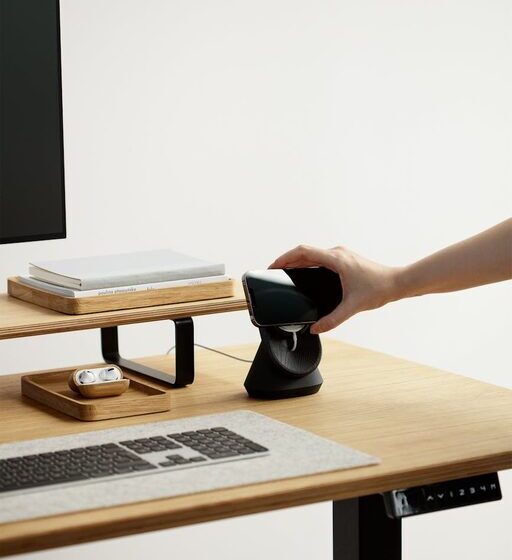

Working from home has become a common part of many people’s daily routine. Creating a comfortable and productive home office space can make a big difference in how you feel and perform throughout the day. Whether you have a dedicated room or a small corner of your living area, the right setup can help you focus, reduce distractions, and maintain good health. Here are some helpful tips to guide you in designing your ideal home office space.
Choose the Right Location
Selecting the proper location is the first step to an effective home office. Ideally, pick a quiet spot with minimal interruptions, where you can work without distractions from household activities.
– Natural light is a plus: Position your desk near a window if possible. Natural light improves mood and alertness.
– Away from noise: Avoid areas close to televisions, kitchens, or high-traffic zones.
– Privacy matters: If you live with others, choose a space where you can close the door or use room dividers.
Invest in Comfortable Furniture
Your furniture plays a key role in your comfort and productivity. Spending extended periods in uncomfortable chairs or cramped desks can lead to physical strain.
– Ergonomic chair: Choose a chair with proper lumbar support and adjustable height to promote good posture.
– Desk size: Make sure your desk offers enough surface area for your computer, paperwork, and other essentials.
– Standing desk option: Consider an adjustable desk that allows switching between sitting and standing to reduce fatigue.
Organize Your Workspace Efficiently
A cluttered desk can distract you and slow down your workflow. Keeping your workspace organized helps maintain focus and efficiency.
– Use storage solutions: Shelves, drawers, and filing cabinets help keep papers and supplies neatly stored.
– Cable management: Use clips or sleeves to keep cords tidy and prevent tangling.
– Keep essentials within reach: Arrange frequently used items close to your desk to reduce unnecessary movement.
Optimize Lighting
Proper lighting protects your eyes and creates a pleasant atmosphere that can enhance concentration.
– Use task lighting: Desk lamps with adjustable brightness can reduce eye strain during focused work.
– Avoid glare: Position your screen and lights to minimize reflections and harsh brightness.
– Balance natural and artificial light: Use curtains or blinds to control sunlight levels throughout the day.
Personalize Your Space
Adding personal touches can make your home office inviting and motivating.
– Incorporate plants: Small indoor plants improve air quality and add a calming effect.
– Display artwork or photos: Visual elements that inspire you can boost creativity and positivity.
– Choose calming colors: Soft, neutral tones or your favorite colors can influence mood and energy.
Establish Boundaries and Routines
Separating work time from home life is essential when working remotely.
– Set working hours: Decide on a consistent schedule to start and end your day.
– Define your workspace boundaries: Let family or roommates know your work hours to minimize interruptions.
– Take regular breaks: Short breaks improve focus and prevent burnout—try techniques like the Pomodoro method.
Enhance Technology Setup
Reliable technology is vital for maintaining productivity.
– Invest in a good internet connection: A stable and fast internet speeds help avoid frustrating lag.
– Use quality peripherals: Ergonomic keyboards, mice, and external monitors increase comfort.
– Backup your data: Use cloud storage or external drives to keep your work safe.
Maintain Cleanliness and Air Quality
A clean, fresh environment supports both comfort and health.
– Regular cleaning: Dust and wipe surfaces weekly to reduce allergens.
– Ventilation: Open windows when possible or consider air purifiers to improve air quality.
– Keep snacks and drinks nearby: Having water and healthy snacks accessible prevents unnecessary trips.
Final Thoughts
Creating a comfortable and productive home office space doesn’t require a major renovation. By thoughtfully choosing your location, investing in ergonomic furniture, keeping an organized and well-lit environment, and setting healthy boundaries, you can improve your work-from-home experience significantly. Personalizing the space and upgrading your tech setup further enhances motivation and efficiency. Take small steps today to design a workspace where you’ll enjoy spending your work hours.